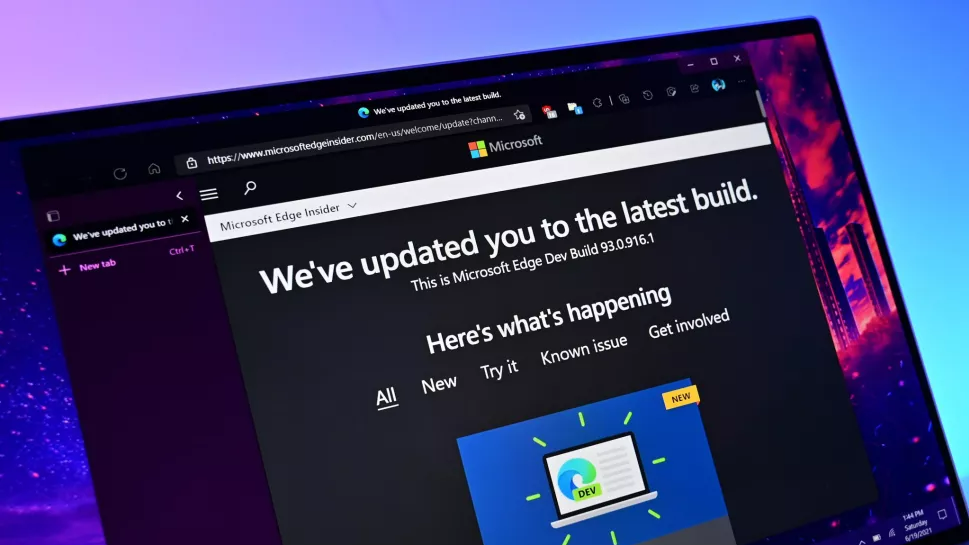
When will they ever learn?
Linux Mint is so awesome.
What a coincidence, I want to edge every time I open my computer.
Mint guy here, since 6 months ago, best choice I have done. If you make some research, in few time you realiese you do not need Microsoft to live in the majority of the cases.
Who’s computer is it?
If my school didn’t absolutely require windows I would be fully Linux at this point.
https://github.com/winapps-org/winapps/
Winapps might be of help to you.
I do have a few other pet peewees too for Linux, despite having that on my ThinkPad.
- GDB is pretty uncomfortable to use.
- The only usable GDB GUI is a glorified webpage by none other, than Micro$lop.
- Some low-level API (sound, input, etc.) are absolutely dogshit compared to their Windows counterparts (still haven’t found anything on how to specify to ALSA if I want to open a device other that
default, and how exactly, just found a massive issue with Evdev, etc.). - Want something better than those? jUsT USe sDl, except SDL is kind of dogshit under Windows (DirectInput/XInput + DirectAudio instead of newer APIs), could not get its audio system working at all as people were instead suggesting me to use MP3 player DLLs instead of writing my own audio solutions, etc.
Honestly (and probably naïvely), what exactly is it that Windows can do that you couldn’t do on another OS? Why would a school need to force such a retarded requirement?
As someone who has been dealing with exactly this issue with my new employer’s enterprise ICT department, I have some insight to share.
When you have thousands and thousands of laptops that you need to manage, it becomes a burden for the in-house IT department, so they often farm it out to a Managed Service Provider (MSP). This is particularly common for organisations like schools and hospitals that often don’t even have an in-house IT department. The MSP will install policies and management software on the laptops to ensure the OS is up to date, the antivirus is not disabled, the VPN is configured correctly, passwords are changed regularly, etc.
Yes of course there are linux-native solutions for each of these things, but the MSP doesn’t support it, doesn’t offer that service. To keep their service prices affordable for enterprise organisations, MSPs usually hire the lowest cost technicians and support staff. These poor underpaid staff probably have never even heard of Linux. The MSP can increase their marketable value by advertising the certifications they’ve attained. The certifications are provided by Microsoft and are related to Microsoft software and systems.
If you have a small fleet of devices and an in-house IT team that has a bunch of Linux enthusiasts, and a user base who drives demand, then it is possible to support Linux. But it requires a lot of effort and dedication. My old employer did that. They had a fleet of around 5,500 devices (a mix of desktops and laptops), mostly Windows, approx 500 of them were macbooks, and about 50 were Linux. Some of these were users who needed to use software that is available only on Linux, some were like me who are simply more productive and efficient using a linux-based OS. But maintaining, administering and supporting those 50 Linux devices took around 20% of the time of the IT department. That’s massively disproportionate to the number of Linux users.
Not long after I left there, the new CTO put an end to that, they saw and easy cost saving by simply refusing to allow users to have any OS other than Windows.
This is a fairly naive take. It’s this way because the infrastructure is built this way. If it was easy for an org to entirely switch to Linux, they would.
Could someone PLEASE build an idiot proof way to permanently remove Edge from your system!?
@echo off timeout /t 60 /nobreak >nul tasklist /fi "imagename eq msedge.exe" | find /i "msedge.exe" >nul if not errorlevel 1 ( taskkill /f /im msedge.exe >nul 2>&1 ) exitMy first thought was Power Automate, the same thing is probably pretty easily doable with it.
If they were actively trying to push people towards Linux, would their choices look any different? Perplexing.
IMO they’d be wise to take every step they can to make the OS feel like it belongs to the user, but more and more the attitude seems to be “it’s our OS, so we do what we want” which is their right, but it’s shit marketting that makes them feel more like Apple every day.
This is literally a “I need to meet an OKR” decision
When I bought a new gaming PC a few weeks ago (where I live the pre-builts that were assembled before rampocalypse are still at a reasonable price until the stock runs out), I asked if I could get it cheaper without the Windows 11 license. The sales guy said, “well, it’s already installed.” I told him, “I’m literally going to take it home and wipe it for Bazzite.” He said, “good call, but seriously, they’re practically giving these licenses away, so even if we could it would only take like $20 off the purchase price.”
Kind of a bummer to waste that $20, but honestly the satisfaction of hitting “reformat” on a brand new, slop-infused, bloatware-infested, data-harvesting-ready SSD and watching it all vanish before I even used it was almost worth the money.
EDIT: Not to mention, I got back a significant amount of space. 15+ GB.
Same. When bought a new laptop recently, I didn’t give a single chance for Windows to run. The first time I launched it was with Arch installation flash drive plugged in.
I ran windows on my new build (it was cheaper to get someone else to build it than to buy the same exact parts myself 😩) just to make sure everything works and my god, I could barely get past the setup before getting annoyed. Linux is just waaaay easier to deal with, even with having to troubleshoot driver installs. Windows is set up now to where you can’t really do anything to your own computer.
Linux storeage system just works better. I use CachyOS. In Windows, I could only play like 2 games, until my ssd would get full. But Linux is so unimaginably light-weight that I can play a lot of games, and still have a few GB space left. Linux is just plain better.
How is Bazzite these days for gaming? I mostly use my steam deck these days and my desktop still has windows but I’m always interested if I should make that swap
I honestly feel like I’m doing Linux wrong, because with one exception it’s been seamless. No driver issues, no framerate problems, no game compatibility problems for anything I play. I thought I was having issues with Bluetooth dropping randomly, but I’ve tracked that down to a hardware issue with the antenna.
The exception is that my Wi-Fi chipset has a bad driver that I think causes it to sleep after every packet, meaning that my Wi-Fi speeds are so slow that a speed test times out. This isn’t an issue for me because I was planning to be hardwired anyway, but if you’re going to put it on a mobile device you should check your Wi-Fi hardware; I think a fix is coming soon, though.
In fairness, I’m not a cutting edge guy (I mostly play stuff a few years after it’s released, patient gamers style) and I don’t play many games that have any kind of anti-cheat. But I regularly get three-digit framerates on highest graphics settings.
Its sometimes fun to watch this drama from the otherside. Windows is ‘that other OS’ for me now. I was switching between Linux and Windows a while ago, and made a permanant switch around 2021-ish (I think). I only use Windows at work as I don’t have a choice, and in certain instances where I’m forced to use a Windows device e.g. for online exams, etc…
That’s me too. Every time someone tells me that windows pulled off another shit move, all I can do is laugh at how they choose to deal with that and keep getting fucked.
Funnily enough I actually have Firefox open by default whenever I boot up my PC.
I have no taskbar or desktop items. I always default to a specific workflow of pressing the windows key (or whatever we call it for Linux), and searching for everything. I have since early windows 10.
I realised that 90% of the time, I was opening Firefox, so now it just opens. I have a pretty minimal toolbar setup for it, so it’s basically just an address bar that automatically focuses when I start typing.
One day I’ll set up something where I have multiple search hotkeys for web search, file search, application search, music etc, that will sort of replace this.
Sounds like you’d like a power launcher style workflow like KRunner or Rofi. Instead of hitting the meta key to bring up the start menu and search for the app you need, bind a key to KRunner or Rofi and invoke the app you want directly. These solutions also natively integrate file search, web search, quickly toggling settings, do in-place calculations etc.
Psst… KDE’s launcher search is the same search as KRunner, just in the launcher! So you don’t need to make any changes at all for a “hit command, start typing” workflow.
(yeah we call it the command key, we come from Mac, but I like ‘command’/「⌘」 and it doesn’t have to be apple-specific :3)
– Frost
We call it the “meta” key. And no, not related to the company formerly known as Facebook.
Glad that they specified WindyPlop11. Linux wins in every branch of every one its splendid variations
Change this anytime in Settings.
Will do
Ye olde active desktop for you noobs
I dual boot Linux with windows 10 for more than 10 years now, networking from windows is just unacceptable for me, on Linux you can also add any games that you want, if Adobe wouldn’t keep resisting I would be totally free of Windows! They were always trash
At this point I’m starting to wonder if Microsoft is paying Adobe to not work on Linux. For most people I know, Adobe is the main reason for not switching.
Maybe you can try Adobe through CrossOver Linux’s demo and see if it works? They contribute lots of work towards Wine, but also sell a more ‘hacky’ commercial software that isn’t as strict about how it does stuff.
After switching to Linux, I will try out their software and decide whether to buy a lifetime license.
I ll check it out for sure, thanx!
I recommend FOSS alternatives to Adobe’s garbage. GIMP for a photoshop alternative. Krita for digital art. Inkscape for an Illustrator alternative. Ruffle for the Flash Player Standalone Client. So on and so forth.
Mypaint and Krita are favorite programs that I use daily, but still I can’t import those photoshop brushes I accumulated over the years in Krita, the last time I tried the program didn’t load anything.